
How to Check Criminal History in Oakley
Start by deciding who created the record. City Hall can respond to Oakley administrative requests. Cassia County Sheriff holds deputy-generated criminal reports. Mini-Cassia holds booking and custody entries, while the Cassia clerk and Idaho iCourt hold filed cases. Idaho State Police BCI is the separate repository channel when an Idaho fingerprint-supported record is needed.
Gather the exact name, event date, location, and any report, booking, or case number before searching. Those details matter because each system answers a narrower question.
- Ask whether Oakley City Hall or a Cassia deputy created the record.
- Use Oakley’s form for city-held material and the sheriff route for deputy reports.
- Check Recent Bookings and the current jail roster for custody information.
- Search iCourt with Cassia selected for a filed public case.
- Use BCI only for the official Idaho repository product.
No result in one channel is not a clean-history finding. An arrest can precede a court filing, a released person may leave the current roster, and restricted cases may not appear publicly.
Why Oakley Police Records Route to Cassia Sheriff
Official Oakley council minutes show a Cassia County deputy reporting local calls. That supports county sheriff service rather than an invented standalone Oakley police records bureau. When a deputy investigated an incident or made an arrest, request the narrative from Cassia County Sheriff at 129 East 14th Street in Burley. Dispatch is 208-878-2251, and administration is 208-878-1002.
City Hall may still hold an administrative record related to an event, such as a city communication or council document. That does not make the city custodian of the deputy’s report. Ask which office created the exact document before sending a request.
| Oakley record | Likely custodian | Channel |
|---|---|---|
| Deputy incident report | Cassia County Sheriff | Sheriff administration or county request route |
| City administrative file | Oakley City Hall | Oakley public-record form |
| Booking entry | Mini-Cassia | Roster, bookings, then phone |
| Filed case | Cassia clerk | iCourt and clerk |
The Oakley Police Department
No current official standalone Oakley Police Department records portal was established in the research. Readers should not assume that a small-city police counter exists merely because the event occurred inside Oakley. The documented criminal-report route is Cassia Sheriff service.
The official Oakley City Hall page identifies the clerk and the city counter used for city records.
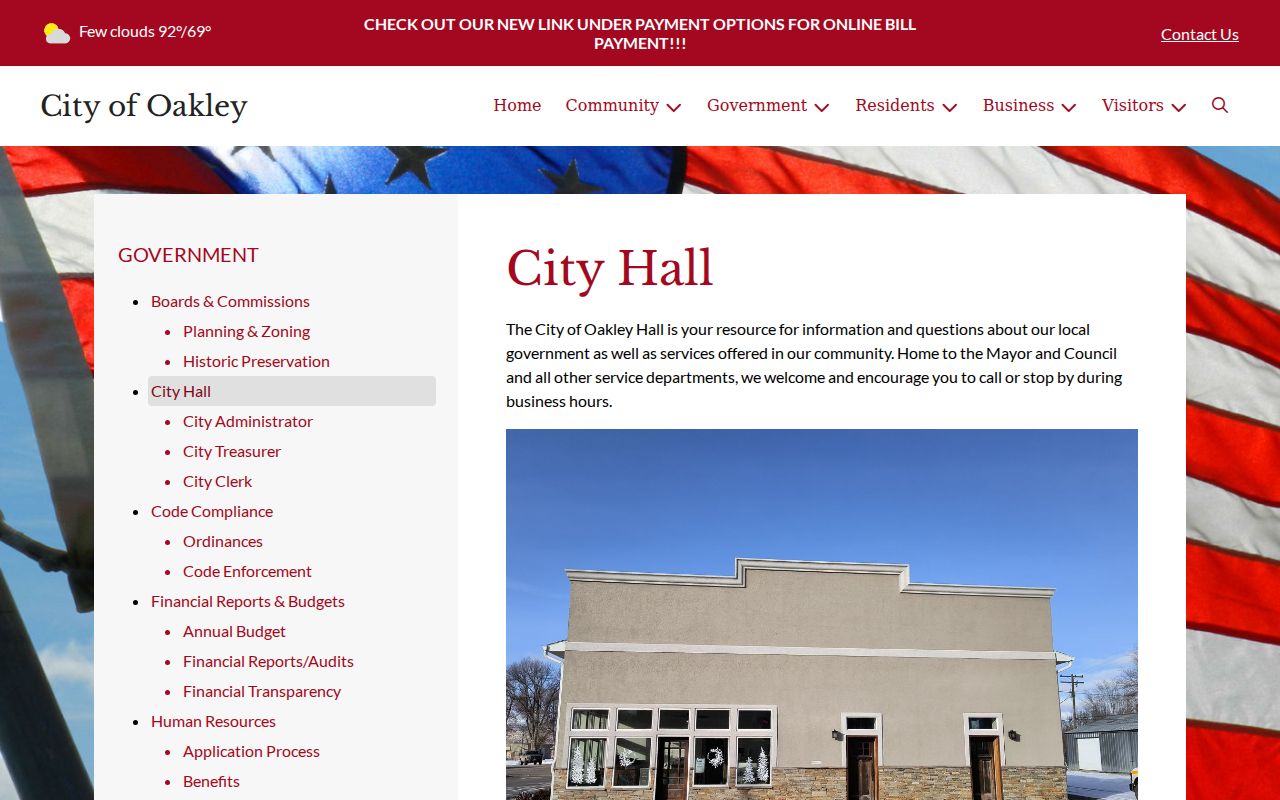
The City Hall image marks the administrative record source, while deputy narratives remain with the sheriff who created them.
For a deputy report, describe the incident, date range, location, and report number if known. Ask about current fees and delivery before sending sensitive information. For a city record, use the city form and confirm the correct address first.
Oakley Criminal Records Have Two Official Addresses
Oakley’s current City Hall webpage lists 105 North Center Street, telephone 208-862-3313, and weekday hours of 10:30 a.m. to 3:30 p.m. The official public-record PDF carries a different header or mailing block: 150 South Center and P.O. Box 266. Silently choosing one would risk a delayed request.
Call ahead: Confirm whether a request should go to 105 North Center, 150 South Center, or P.O. Box 266 before mailing documents.
The mismatch is especially important if a form includes personal identifiers. Telephone confirmation is safer than sending a detailed request to an uncertain street address. The clerk email listed by the city is oakleycityclerk@gmail.com.
Oakley City Hall Web Listing
105 N. Center St.
Oakley, ID
208-862-3313
Monday through Friday, 10:30 to 3:30
Form Mailing Block
150 S. Center
P.O. Box 266
Oakley, ID
Confirm before mailing
Arrests and Bookings in Oakley
Oakley does not operate its own jail. A person arrested locally and booked into county custody enters the Mini-Cassia Criminal Justice Center record chain. The arresting deputy’s report stays with the sheriff, while jail staff create intake, charge, bond, hold, and status entries.
Check Recent Bookings for recent intake and the current roster for listed custody. Then call 208-878-1000. Cassia County warns that its public lists can lag, exclude juveniles, and should not be used as proof of current status or guilt.
A booking allegation may change when the prosecutor reviews the referral. Filed charges and the final outcome belong to the court record, not the jail list.
From an Oakley Deputy Call to Mini-Cassia
The record path begins when a Cassia deputy documents the call. If an arrest occurs, Mini-Cassia verifies authority and identity, inventories property, screens health and safety, takes fingerprints and a photograph, enters initial charges or holds, and arranges judicial review. A magistrate addresses probable cause, rights, and release terms.
Local sequence: Oakley deputy call › Cassia Sheriff report › Mini-Cassia booking › Magistrate Division › filed disposition
Release can follow bond, a court order, sentence completion, or transfer. The online roster may not reflect the latest change. Call the facility for current status and ask the sheriff for a historical report when the booking view no longer answers the question.
Oakley Municipal Court Records
Oakley has no separate public municipal-court portal. Traffic, ordinance, misdemeanor, and preliminary felony matters are handled through Idaho’s Magistrate Division. District Court handles felony proceedings after the preliminary stage. Use Idaho iCourt with Cassia as the location, then contact the clerk at 208-878-7351 for a certified copy or a document that cannot be downloaded.
| Court Name | Cassia County Magistrate Division; District Court for felony-level cases |
|---|---|
| Case Types Heard | Oakley traffic and ordinance matters, misdemeanors, and felony preliminary proceedings |
| Case Lookup Channel | iCourt Smart Search with Cassia selected; clerk telephone fallback |
| What the Docket Shows | Case number, parties, charges, hearings, filings, status, and public disposition entries |
| Copies & Fees | Request a current quote and certification details from the clerk |
Search results are name based, not fingerprint verified. Compare middle identifiers, dates, and the case number before associating a docket with a person.
Oakley’s Public Form Says ID Is Optional
The Oakley Public Record Request form is unusually detailed. It lists identification choices for a driver’s license, state identification card, passport, or “other,” yet the form also says identification is not required. It requests contact information, date of birth, driver-license number, a detailed description, date range, desired format, delivery choice, and signature or acknowledgments.
Do not transmit a date of birth or driver-license number by habit. Ask the clerk whether an optional identifier is truly needed for the record sought. A precise subject, date range, record category, and known file number may locate the document without extra sensitive data.
Note: Optional identification may permit more information in some circumstances, but the form does not make identification mandatory for every request.
Email Speeds Oakley Criminal Record Delivery
Oakley’s form offers email, U.S. mail, fax, in-person pickup, and “other” delivery. It notes that the city cannot always guarantee the selected method and describes email as generally quickest and most cost-effective. That makes email a sensible first choice for a releasable electronic city file.
The form does not turn City Hall into a sheriff-record portal. If the document is a deputy report, send the request through Cassia County. If it is a court judgment, ask the clerk. Choosing the right custodian usually matters more than choosing the fastest delivery box.
Ask for a cost estimate when a request could involve broad searches, many pages, or redaction. Idaho law permits actual copying costs and certain labor charges after the first two hours.
Where Oakley Criminal Records End Up
For the documented local law-enforcement route, Cassia Sheriff creates the incident or arrest report. Mini-Cassia creates a booking record when custody occurs. The prosecutor decides what to file, and the Cassia clerk maintains the court file. Fingerprints and reported dispositions then feed Idaho State Police BCI where applicable.
Record flow: Cassia deputy serving Oakley › Mini-Cassia › Cassia County Courts › Idaho State Police BCI
BCI’s repository product is not the same as a deputy narrative or a complete court file. It covers Idaho fingerprint-supported events and can have delayed or missing dispositions. The Cassia County criminal-history overview explains when the repository, court, jail, and state custody systems should be combined.
Oakley Criminal Records at Small-City Scale
The 2020 Census counted 689 people in Oakley, within a county spanning 2,565.61 square miles. Small-city scale does not mean records vanish. It means the operational counter may have limited hours and countywide agencies carry much of the criminal-record load.
The city’s 10:30-to-3:30 weekday schedule makes phone or email planning useful. Confirm the delivery address, describe the city file narrowly, and route deputy material to the sheriff. For custody, go to Mini-Cassia. For court outcomes, use iCourt and the clerk.
That division is more accurate than searching for a nonexistent Oakley police or municipal-court portal. It also helps prevent personal data from being sent to an office that does not hold the requested report.
Public Access Rules for Oakley Criminal Records
The Idaho Public Records Act governs city and sheriff records, subject to exemptions. A public record can still contain redacted active-investigation facts, protected victim information, juvenile material, medical data, or personal identifiers. Idaho Court Administrative Rule 32 governs public judicial records and shielding.
Key Statutes:
Idaho Code §74-102 provides access to public records subject to exemptions, rules, and lawful fees.
Idaho Code §74-103 sets the ordinary three-working-day response and written extension framework.
Idaho Court Administrative Rule 32 controls court-record access, confidentiality, and shielding requests.
A denial should identify legal authority and appeal rights. Keep the response and its date. If a court outcome is missing from BCI, obtain a certified disposition from the Cassia clerk and use the repository’s correction route rather than assuming the event can simply be erased.
Verify Oakley Criminal Record Results
Each Oakley channel has its own clock. A recent booking can appear before a filed case. The current roster can change after release. iCourt may omit restricted records or return a namesake. BCI depends on fingerprint and disposition reporting.
Match names with dates, jurisdiction, approximate age, and a report, booking, or case number. A screenshot helps with orientation but is not a certified judgment. When the legal outcome matters, request the certified order from the clerk.
Note: A blank Oakley search result can reflect timing, spelling, custody change, restriction, or the wrong custodian rather than the absence of history.